Great news! I was mentioned in a New York Times article this week, which was quite a thrill for me. According to the latest numbers, since it was published the traffic on my blog is up by 55%! I thought I'd share my story, for all those Mogulettes looking to spread the word about their fabulous but still unknown products and services. So here's how it happened: A while back, one of my friends sent me a link to a NY Times article which I found very interesting, so I emailed the author, Marci Alboher (that's her on the right), to compliment her on it. That gave way to further correspondence between us, and the timing couldn't have been better. It just so happened she was in the midst of writing an article about how blogs are useful in job transitions for her column, Shifting Careers, so she asked to interview me for the piece. Of course I said yes (I was ecstatic!). Blogging Your Way to Business was published this week and I've been busy telling everyone that I know in the whole wide world about it since then.
Living the "slash" life
Marci writes about entrepreneurship and career transitions in her column as well as her blog, although the latter is more focused on her life as a "slash" - one in which she juggles multiple career tracks (in her case it's author/journalist/speaker). She talks more about it in her book One Person, Multiple Careers. The "slash" life fits in very well with the Mogulette concept. I'm shooting for writer/startup coach/speaker. What kind of slasher are you, or would you like to be? Tell me about it!
Wednesday, August 15, 2007
How I got on the NY Times

Sunday, August 5, 2007
Website Building and Management Basics - Part 2
Here's my to-do list for this morning: brush my teeth (check), do my leg exercises (check), build a website (aaargh!).
The task of constructing a little "shack" on the world wide web can be overwhelming (there's so many moving parts that have to be figured out!) but luckily I'm being guided through it by a super knowledgeable instructor, Maisha Walker (that's her on the right), who is teaching the course that I started blogging about in my last post. She's come up with a checklist of what a typical website needs, which you can find on her website. She spoke about it in detail during the class, and here's some of the notes I took:
Domain Names - Maisha stresses that it's important to have a domain name that matches the name of your company, so that people can find you. If the domain name you want is not available with a “.com” ending, consider alternate names. Maisha said it took her two years to come up with a domain name she liked for her company: messagemedium.com. She strongly recommends registering your domain name under multiple endings - “.com”, “.net” and “.org” - as well as plurals and common misspellings of your company name. Two companies that offer that service:
Logos - Your logo is a representation of your company which will go on every piece of written and web material. It is worth the investment to hire a logo designer. When you hire a designer make sure to have a contract that provides you the rights to the artwork. Make sure to get the original files so that you will be able to use your logo in many different formats and sizes. You can also look at Logoyes.com and Logoworks.com to design your own.
Photograph-Invest money on a good photographer
Site type or purpose - Is your objective to generate leads, make money from advertising, sell products/services, or something else?
 (That's Maisha in the left chatting with the Mogulettes after class.)
Coming up next: what are the requirements for proper site design?
Til soon,
Your chief Mogulette-in-the-making.
Website Building and Management - Part 1
Hello fellow mistresses of the universe!
One of my business counselors recently suggested I put together a website in addition to my blog, and the timing couldn't have been better because the Dept. for Small Business Services is sponsoring a three week course which started last week on that same topic, so a few of the Mogulettes and I signed up for it. I was unable to attend the first class so I asked Jen, a fellow Mogulette and creator of the most adorable and scrumptious custom designed cookies (that's her on the right) to share her notes with us. Here's what she sent:

Six Step Process for Planning a Website
It is important to understand the different steps and skills needed to create a website. If you are hiring people to create your website, be sure to get a team of people with the right skills for each step. You can also use templates and content management tools to create your own website. These are discussed below.
You’ll need to complete a business plan and a marketing plan before you create your website so that you know what role it will play in your business. Think of your website as an employee - you will have to spend resources on it, but it will help you generate profit.
What do you want your website to look like? There are standard templates that can be used (see below). A common mistake people make is spending too much of their budget on the design/look of the website. When hiring a designer, make sure to get a designer who is specifically a web designer and not a print designer since the two mediums are different.
Once the design is completed, it is handed off to constructors for the technical building of the website. A web constructor/developer is different from the designer. There are specific languages developers use, such as HTML coding, Java Script,
Make your site visible to everyone.
Have a plan for how you’ll get people to your site and how you’ll generate profit from it.
Include in your business plan how often you will need to update your site (new products, promos, update prices, etc). Decide who will be doing this and how. Be sure to add the cost regular maintenance into your budget.
On the more technical side we talked about Content Management Tools (CMTs), which is software that allows you to control the content (images and text) on your website. CMT’s provide templates that you can use to create your website without having any technical expertise. Some CMTs sit on your computer and others are on your hosting company’s server. Many hosting companies offer content management tools to help you build a website. Examples of this are DreamWeaver, Joomla!, and Front Page.
Coming up on the next post: ...what should go into your website? ...logos, domain names and much more. Stay tuned!
Thursday, August 2, 2007
Do-it-yourself PR for Your Business
According to Jason Grant, public relations is like having a messenger service that lets people know about you. This industry veteran has helped businesses, celebrities and socialites get their share of the spotlight for 15 years. He graciously stopped by "Mogulette Central" this week to teach us a few tricks on how to spread the word about our products and services without spending a single dime.
Here's some of his suggestions:
Give discounts or free samples to the media.
Donate your products or services for goody bags at charity events and they'll put you on their press release. That way not only will the guests get to know your company but also whatever media they send their press release to. Choose only the ones that fit with your business.
Follow-up. After your product or service gets mentioned in an article or a TV or radio show, run with the story. Let other outlets know that it's been written to give it added exposure.
Constant repetition is what makes people aware of a product or service.
The difference between advertising and PR: People automatically know that ads are paid for, but with PR they think the editors or reporters have actually researched the market and your product stood out.
Two possible ways to position yourself:
1- As an expert, to talk in general about your field. Introduce your company, what you do and the topics you can address.
2- Come up with a timely angle - editors & producers love this one because you're doing the legwork for them. Remember to pitch differently depending on the publication. For example, if you're a dating coach, on Valentine's Day you might want to send out the following pitches:
For "The View" - How to find out if he's "The One"
For More magazine - Do's and don'ts of dating over 40
For local newspapers, or your local TV morning show - Most romantic places around town to "pop the question"
For Glamour magazine - The new rules for successful online dating
Elements of the press release
Make sure you answer who, what, when, where and how. Include your website, your blog, your 800 number - if you have them-, where your product or service is available (what outlets - on and offline). The more accessible you are to the public the more they'll like your story. If you're only available locally find a national angle you could chat about. Make sure your first paragraph hooks them: what's interesting about you/your business?
Who to pitch
Glance through the magazine or newspaper you'd like to target and find the section that best fits your business. See who writes it and direct the query to them. Say you're launching a line of jewelry - then you would send your pitch to the accessories editor at the NY Times or the "Best Bets" section of New York magazine. Other ways to find the proper person to speak to: look at the masthead in the front of magazines, or simply call the publication's switchboard and ask the operator. Start with local media first. Weekly newspapers, neighborhood circulars. Once you get the hang of it, then devise a citywide, or regional angle, and pitch it to the respective publications. When you feel you're ready, go national.
Make a list of all the possible media outlets that would fit your business, and don't forget websites and blogs. Write a "master" press release and send it out systematically. Or for a $90 fee, PRWeb will send it out to thousands of outlets for you. Very important: after a few days, follow up with a phone call, and keep trying until you get through to the right person.
For more on how to get free publicity, visit The Publicity Hound, where you'll find tons of articles.
If you'd like one-on-one help, Jason is available for PR consultations at very reasonable rates. Email him at jhg912@aol.com.
Let's create some buzzzzzz!
Monday, July 30, 2007
Where to find market research, on and offline
 Mogulisious hellos!
The Mogulettes and I recently visited the Science, Industry and Business Library, aka SIBL - ground zero for everything related to free enterprise. Unlike most public libraries I've seen, this one has a very modern and sleek design. Jackie Gold, one of their librarians (she's the one at the far left in the picture above), gave us a private tour. She started us off on the first floor, with its high ceilings and huge picture windows, where they have all the books that are allowed to be taken out, or for circulation, as they call it. It's also where you can get a library card, which is pretty important because with it you'll get remote access to a huge array of electronic resources. By entering the password in the back of the card into your computer at home, you'll be able to search the database of the NY Times, national and international magazines, the World Book Online, Women's American History plus many others. Nothing like letting your fingers do the walking!
SIBL has mostly science and business books but also technology and financial texts as well. They also have videos on everything from Doing Business in China to Franchising to Producing Your Own Special Interest Videos. One the right side of the main room there's a section with the most recent business periodicals and next to that you'll find dozens of computers which are hooked up to the internet, available at no charge - unfortunately the limit is 45 min. to an hour and you're only allowed on them once a day. Downstairs however, there's docking stations for your laptops with free web access and no time restrictions.
From there we climbed down the beautiful spiral staircase to the lower level, where they have the reference section, for books that cannot leave the library. Here you'll find all the nitty gritty details of the business topic of your choice. They have sample business plans, annual reports, SEC filings, government statistics, industry surveys - I get tired just looking at the list of resources! Thank God there's an information desk in the center of the room with librarians who will direct you to the best places to find whatever you're looking for...
Here's a few interesting links:
videos and podcasts
free classes & workshops
events for entrepreneurs
smallbiz.nypl.org - small business resources
CATNP - to search in the reference section
LEO - to search the catalog for all branch libraries
Both SCORE (the Service Corps of Retired Executives) and the NYC Business Solutions Center have offices here, with counselors available for appointments to help out entrepreneurs. Time flew by and soon it was 8pm and time for them to close down the shop. Now that I have a sense of how to navigate the labyrinths inside this information supercenter, I'll be able to gather topnotch market research for my business plan.
Knowledge is power people!
Thursday, July 26, 2007
Mind your T's
Your friends do, it, your family members do it, your boss does it, babies do it, nuns do it, in fact, everyone in the world does it. Does what, you ask? Wear T-shirts!
People spend six billion dollars a year on T-shirts, that's according to a handout I got at a recent Learning Annex class entitled, quite plainly, 'How to Start your own T-shirt Line'. Needing a little help to get on the right track with my new "Mogulette Collection", I attended this 2 1/2 hour session along with another 80 or so hopefuls, and according to our teacher that evening - a fast-talking, bleached blond 30-something that launched his line two years ago from scratch - this is one of the Annex's most popular classes. The session delivered on its promises - it was jam-packed with details on the design, production, marketing and advertising of these ubiquitous tops, and the speaker certainly "walks the walk" - he was wearing one of his own designs, a basic staple of his daily wardrobe since day one, he says, and prompted us to do the same. Here's some links of interest I got from him:
Legalzoom.com - Has low cost legal forms to form corporations or LLCs, and register copyrights, trademarks and patents
USweb.com - An online marketing site. If you visit their blog you'll find articles on internet and search engine marketing in the "Categories" section.
Websitepros.com - For a low monthly fee they will place your website in all the major search engines.
prweb.com - Online public relations. They'll distribute your press release to media outlets instantly.
www.highschoolads.org - T-shirts and teens go hand in hand! This site offers ad placements in hundreds of high school newspapers.
5000fonts.com - If you plan to do your own graphic designs.
I could go on and on. My brain was in overload by the time it was over but it was well worth it. One thing I found out is that apparently my products are terribly under-priced, so it looks like I'll have to hike up my prices soon (hint, hint...buy now before they're marked up!!).
I'll be back soon, but til then, live mogulisiously!!
Wednesday, July 18, 2007
Are you protected?
Last fall when I tried to download some information from my online bank account, as I normally do, my computer wouldn't let me. Thinking it was a server issue, I called my bank, but they checked into it and came back with horrible news: I'd been hit with a virus. Yikes! I ended up having to remove everything from my hard drive and re-installing it over again. What a nightmare! So when I met computer consultant Peggy Belanoff at a recent networking event, I instantly recruited her to come speak at our meeting about computer security, a topic that's very important to Mogulettes like us. Peggy gives the Mogulettes advice on protecting our data
Here's a recap of her main points:
Anti-virus protection
To Mac or not to Mac - that is the question. Macintosh computers don't get viruses but they are more expensive, so Peggy says that if a someone is used to a PC it's okay to stick with it - just make sure you have a good anti-virus program. Also double check with your internet provider - they may offer free firewalls and anti-virus software. In addition to that, you need to have spyware protection, so download Ad-Aware from Lavasoft USA. Run it once a week or once every two weeks. Something else to look into: Microsoft has a free program you can download called Windows Defender.
My friend Carol Wade, a computer expert herself, suggests using Mozilla Firefox as your browser because it's much better at protecting from online threats than Internet Explorer.
File backups
Why backup your files? It's not only that you could get hit with a virus - data could get corrupted, or you could accidentally delete something. Better to be safe than sorry!
You'll only need to backup your personal files - for ex. Word documents, pictures, audio, video - if you've kept the original CD's for programs like Word, Excel, Quicken, etc. there's no need to save those. Documents usually take up less space than videos, pictures and audio files.
Here are the different options for backing up data:
1-Downloading your files into a CD-ROM is the cheapest alternative. CD's hold 750 megabytes of information, so you may have to use several to hold all your files. Make sure you get the ones that say CD-RW or DVD-RW which are re-writable because you can't record over the ones that say CD-R. The downside is it could get cumbersome to wait around for all your files to download unto the CDs.
2-External hard drives can hold up to 120 gigabytes of information, and come with programs included so you can set up automated backups. How large of a drive do you need? That depends on how much you currently have in your computer. Listen to the video clip below where Peggy explains how to pick an external hard drive.
How much capacity does your computer have?
If you have a PC (as opposed to a Mac), right click on My Computer, then left click on Properties - there you'll find how much RAM you have, which is memory.
To see how much hard drive you have and how much disk space you've used up, go back and left click on My Computer, right click on the 'C' Drive, and then left click on Properties. Ideally you should have half of your hard drive free - that'll make your computer run faster and perform better.
3-Flash drives are very portable but have little space, only between 2-3 gigabytes.
Additional tips from Peggy
If you travel a lot these products will let you access your desktop from anywhere: GoToMyPC for PCs or Timbuktu for Mac's. That way you can log on to any computer and have instant access to your key information.
Whenever you do an upgrade - like for example with Turbo Tax you need to upgrade it every year - check your system's properties and make sure they're compatible with what the upgrade requires, otherwise it could make your computer screwy. This also holds true for internet downloads. When I tried to download the new Goggle toolbar, which has Google Earth and all these fancy screensavers plus a ton of other stuff, it didn't sit well with my computer. Ultimately I had to uninstall it.
Hope this was helpful, and please add any of your own personal tips.
Until my next post, live mogul-isiously!!
Sunday, July 15, 2007
Sunday in the city
What better place to spend a hot summer afternoon than in the movies? That's what me, Lesley (check out her etsy.com site) and Ina, two of my fellow Mogulettes, did this past Sunday. We met at the Grey Dog Café in the West Village for a snack first - an adorable little eatery overlooking Carmine St. where everything looks fresh and homemade. They have huge sandwiches made with thick slices of bread and jumbo chocolate chip cookies that made my mouth water (but I was a good girl and behaved myself :-)). Lesley, me and Ina at the Grey Dog Café on Carmine St.
From there it was a short walk to the Film Forum to see a documentary my friend Shana worked on called "Flying: Confessions of a Free Woman". It was about how women around the world view the subject of marriage and relationships, but what was really interesting to me was how a regular woman, through her own efforts, was able to put this film together and then run it in a theater in New York City. She dedicated four years to this project and didn't give up until it was finished. Which goes to show that where there's a will there's a way - and if she can do it, so can we!
Tuesday, July 10, 2007
Money, money, money
Do you have a clear idea of how much you need to spend on your business? I recently attended a seminar held by the Women's Venture Fund, a non-profit organization that provides loans to female entrepreneurs. Betty Yee, who led the presentation, pointed out that most women that start out businesses are underfunded. That means that they either fail to get funding or the funding that they get is too little.
That made total sense to me because I'm always worried about spending money, but that type of mentality won't get me very far. Playing small does not help the world, as Marianne Williamson would say. To create a company we need to dream big, and for it to operate, we need to spend money. But the question is how much? And how do we allocate those resources? That's where the business plan comes in. So I'm booking a session with one of the friendly business counselors at my local Small Business Development Center to help me figure that out.
But thinking big doesn't mean I can't run a lean operation. One way I saved money recently is by designing my own business card. Microsoft Publisher, which comes built in with Microsoft Office, is a great tool for this. I picked one of their templates (loved this retro/modern look, see below) and changed the color and added a few details to it and... ba-da-bing! I took it to Staples, bought some of their business card paper and had them print the cards in their color printer, which is much better than my old clunker, but you may be able to use yours. In the end it may have cost a little more than Vistaprint (about $14 for 100 cards) but the big advantage is that I can change it anytime if I need to and don't have to wait around for the order to get shipped to me when I need more. I can also use the same template I created for other marketing materials, like flyers, banners, etc. Very nifty!
Thursday, July 5, 2007
Mogulette product launch
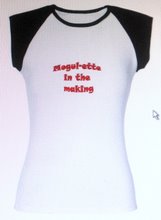
 Wow, am I excited! No, I'm not getting married nor have I won the lotto. For the past fews days I have been feverishly designing a new line of products, mostly T-shirts, for the Mogulettes, and let me tell you - my heart is racing! It's one of the business ideas that I've had for years but it was kind of fuzzy, so I never really acted on it...until now. Suddenly over the last week it all came together in my head and things have just fallen into place. Finally I can put into action all the great advice I've gotten from people and all the information that I've collected!
Check out the new Mogulette product line.
First I started out thinking the line would appeal to women like me, in their 40s, looking to reinvent themselves and start out on their own. From there I thought, what about girls that are graduating from college? They need to be inspired to think big as well. But then there's also the pre-teens, and even toddlers - it's never too early to start empowering women! So the collection includes items for all ages, from onesies and bibs to cute tank tops as well as fitted and regular t-shirts. There's also coffee cups and journals...even a little teddy bear!
The designs are work-in-progress. I'd love to get your input on them, so please let me know what you think of them and if you'd like to see something that's not offered.
Become your dream ladies!